 Docnest
Diese Seite ist noch nicht übersetzt und wird auf Englisch angezeigt.
Reading and review
The shelf at a glance
Each row on the shelf is one document: the AI that wrote it, the title, the time and a tag.
| Tag | Meaning |
|---|---|
| New document | A file an agent created. |
| Edited +12 −3 | An agent changed a document you already have: 12 lines added, 3 removed. A zero is left off, so a change that only adds lines shows Edited +12. |
Rows are grouped into Today, Yesterday, This week and Earlier.
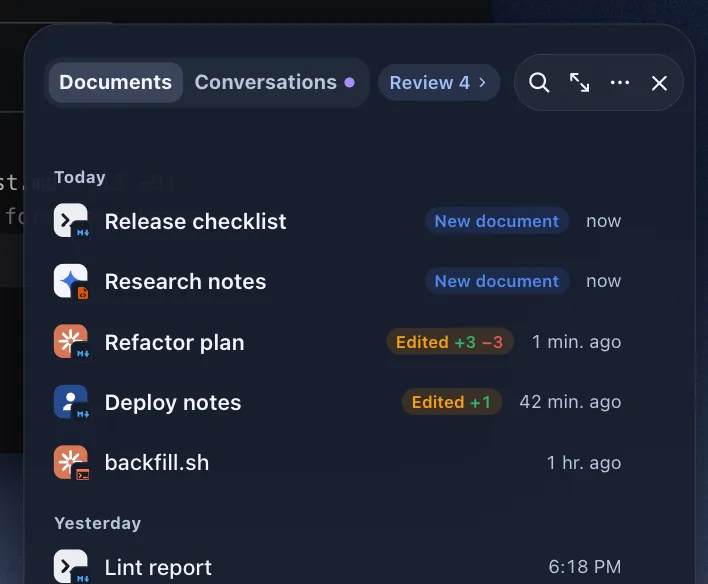
Read a document
Click a row to open the document in a window beside the shelf.
- Long documents are split into pages. Use the arrows to move between them.
- Widen reading area gives the text more room.
- If the document has several versions, Revision 2 of 3 lets you step through them. Changes are marked in place: added lines in green, removed lines in red.
- Source conversation › opens the conversation that produced this document. See Agent conversations.
Opening a document counts as reading it. Its tag disappears and it leaves the count.
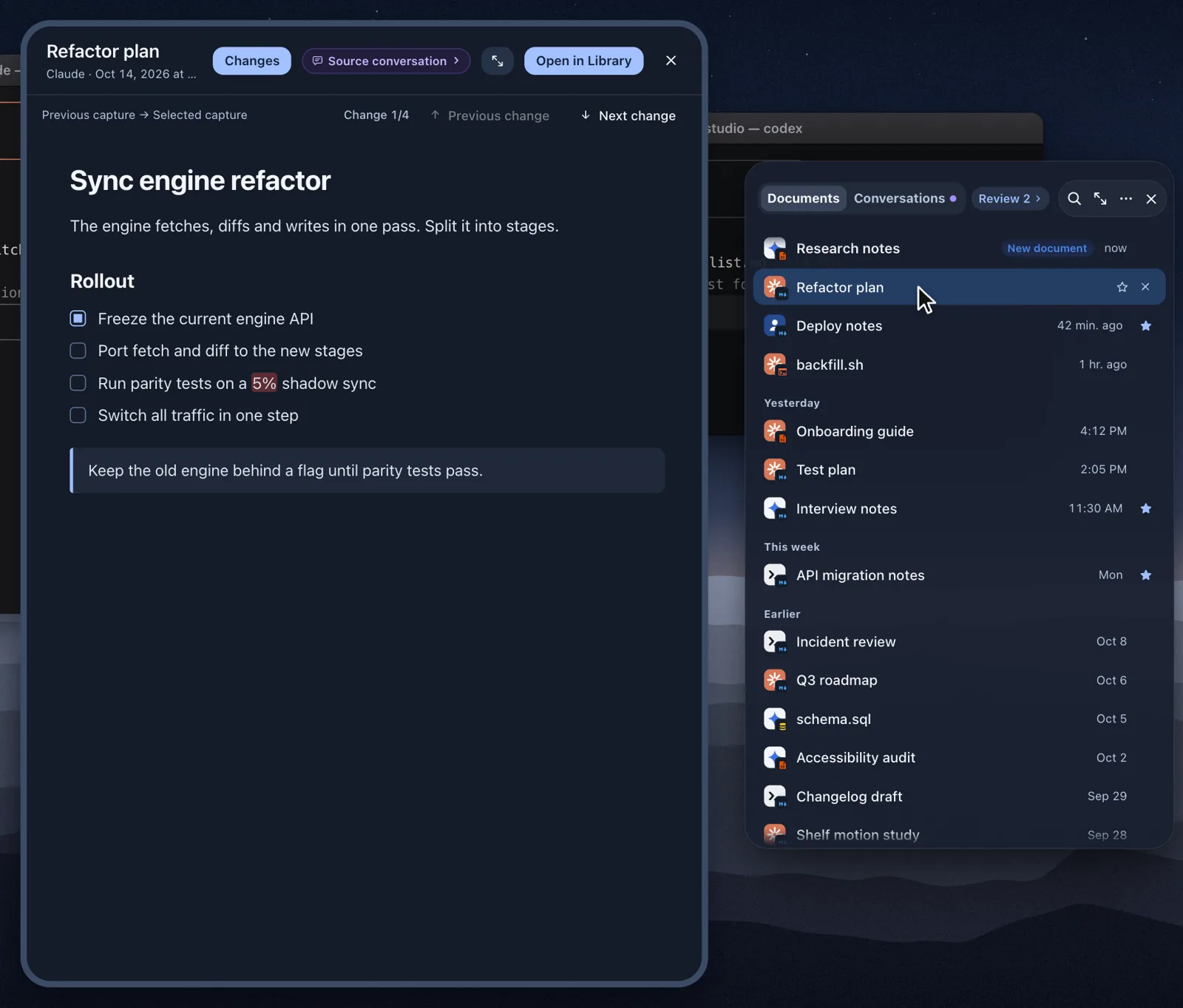
Keep it or clear it
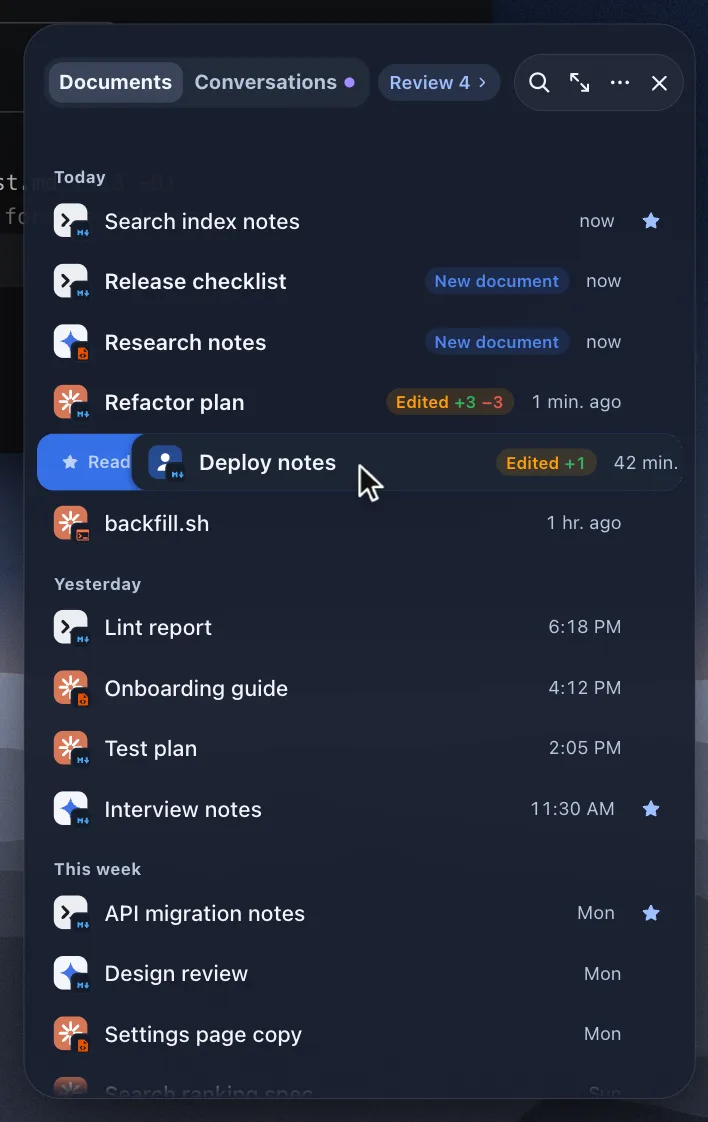
Hover over a row, or select it with the arrow keys, and two buttons appear.
| Action | Button | Gesture | Key | What happens |
|---|---|---|---|---|
| Read later | ★ | Swipe right | → | The document gets a star and is listed under ★ Read later in the library. |
| Ignore | ✕ | Swipe left | ← or ⌫ | The document leaves the shelf. It stays in the library and comes back if an agent edits it again. |
Nothing is deleted, and each action shows a short Undo. To clear a whole group at once, use Ignore all.
Documents you haven't sorted leave review when a new review period starts, every Monday by default. To keep them until you sort them, set Settings → Review & summaries → Clear pending reviews to Keep pending. Your documents and Read later stars stay either way.
Review layouts
Review layout sets how new documents appear on the shelf: Card stack, Grouped by AI, Read through (every document in one scrolling column) or Inbox. Switch it from the bar at the top of the shelf or in Settings → Review & summaries.
Summaries
Review cards show a short summary. Summary and Original switch between it and the full text.
- On a Mac with Apple Intelligence, the summary is written on the Mac itself (Written by Apple Intelligence on this Mac).
- Otherwise Docnest takes it from the document by fixed rules (Taken from the document by fixed rules).
Either way, nothing is sent anywhere.
Reviewing many documents
Open the library and choose Review (⌘3) to sort many documents at once. Select rows, then choose To read (⇧⌘↩) or Skip (⇧⌘⌫). You can sort up to 5,000 at a time. Undo review (⌥⌘Z) reverses the last choice.