 Docnest
Diese Seite ist noch nicht übersetzt und wird auf Englisch angezeigt.
Docnest guide
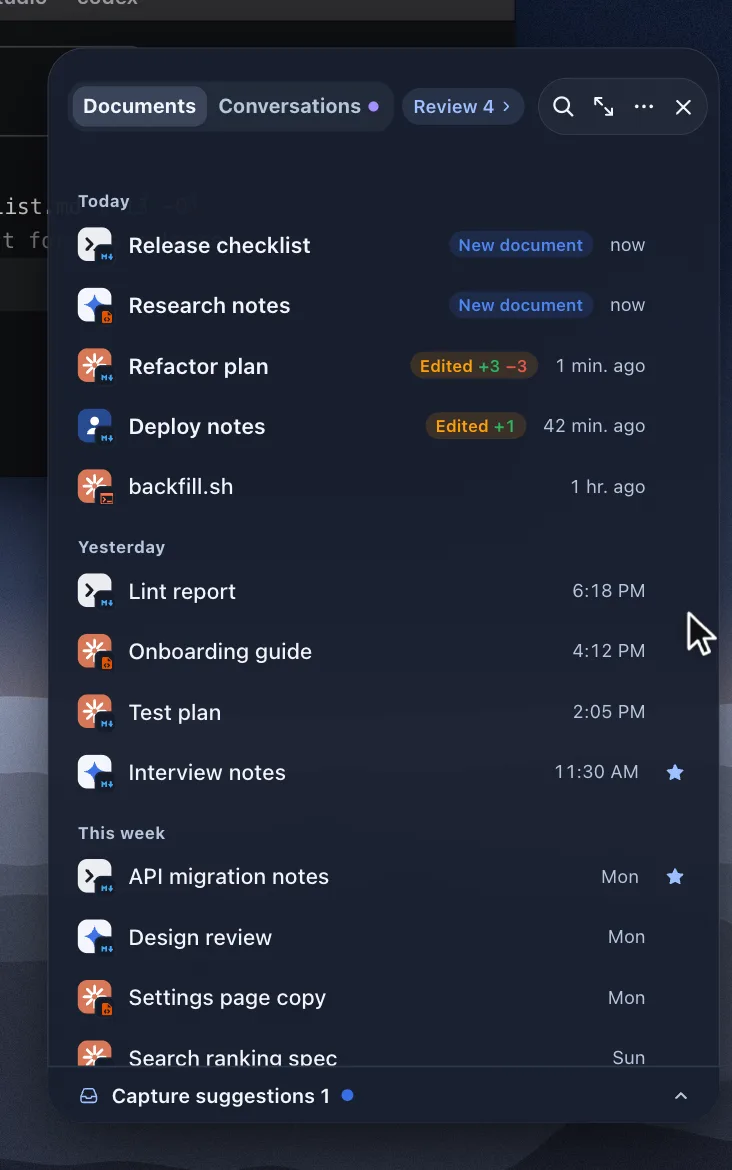
Docnest collects the documents, plans and images your AI agents write on your Mac and shows them on a shelf at the edge of your screen. If you just installed it, start with Getting started.
Start here
- Getting started: install, the one question Docnest asks, and where the shelf lives.
- Reading and review: what New document and Edited +N −M mean, and how to keep or clear a document.
Using Docnest
- The library: find any document by project, date or AI.
- Agent conversations: see the conversation that produced a document.
- Supported AI tools and privacy: what Docnest reads, and what stays on your Mac.
- Settings and shortcuts: where the shelf appears, notifications and every keyboard shortcut.
When something is off
- Troubleshooting: a menu bar icon hidden behind the notch, documents that don't show up, permission prompts.
- Support: report a bug, suggest a feature or email us.